Designing safe human-in-the-loop AI support workflows
By SupportAI Team
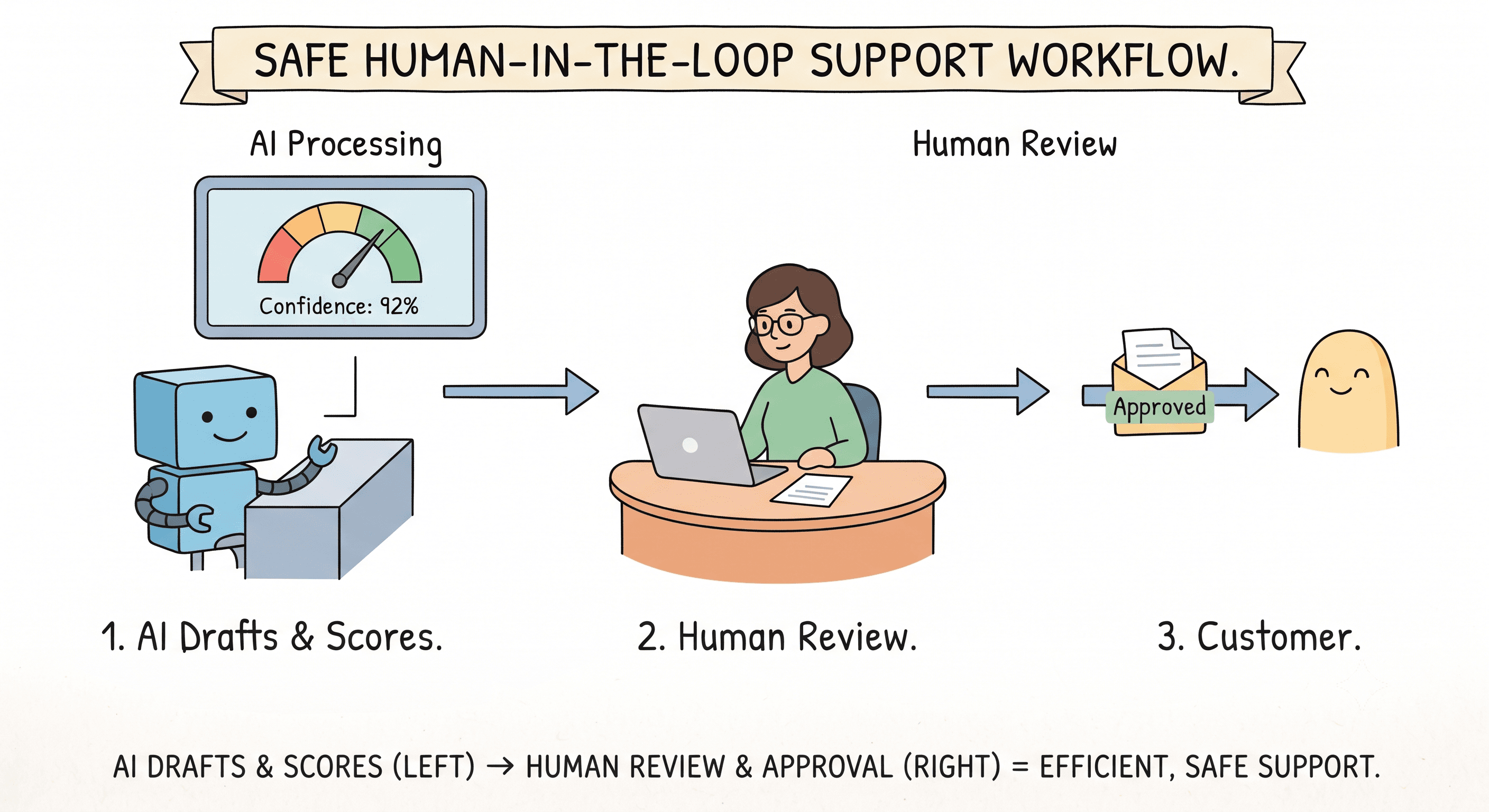
Human-in-the-loop is not a compromise. It is the design.
Some teams hesitate to adopt AI support tools because they worry about losing control. The concern is valid. But the best AI support tools are not designed to replace human judgment. They are designed to handle the work that does not require it, and to make it easy for humans to step in when it does.
What human-in-the-loop actually means in practice
In a human-in-the-loop support workflow, the AI does the initial work: classifying the ticket, pulling relevant data, drafting a reply. But before that reply reaches the customer, a decision is made about whether it needs human review.
That decision is based on rules you define, not on a black-box algorithm you cannot inspect. Confidence thresholds, sensitive topic detection, sentiment analysis, and custom escalation rules all feed into whether a draft goes straight to the customer or sits in a review queue waiting for a team member.
Designing your approval workflow
Start by identifying which ticket categories your team is comfortable with the AI handling autonomously. These are typically high-volume, low-risk categories like order tracking or FAQ responses.
For everything else, set the system to draft-first. The AI prepares a reply and places it in a shared queue. Your team reviews the drafts, edits where needed, and approves them. Over time, as you see which categories the AI handles well, you can gradually move more of them to auto-send.
Confidence scores are your safety net
Every AI reply in SupportAI carries a confidence score. You can set different thresholds for different ticket categories. A shipping inquiry might auto-send at 95 percent confidence. A complaint response might require human review at any confidence level. The system follows your rules, not its own.
Auditability matters
Every action the AI takes is logged. Every auto-resolved ticket, every draft that was approved, every edit a team member made before sending. If something goes wrong, or if a customer questions a response, you can trace exactly what happened, when, and why. This is not just good practice. For regulated businesses, it is a requirement.
Start conservative, expand with confidence
The teams that get the most value from AI support tools are the ones that start small. Automate one category. Review the results. Adjust the rules. Expand to the next category. This is not slow. It is methodical. And it builds the kind of trust in the system that leads to broader adoption over time.
See how SupportAI handles your most common tickets.
With built-in escalation rules and human approval controls.